
WordPress 7.1.1 Security Update: What Website Owners in Pakistan Should Know
WordPress 7.1.1 Security Update: What Website Owners in Pakistan Should Know WordPress 7.1.1 is a maintenance and security release published on September 17, 2026. It includes 17 Core bug fixes, Block Editor fixes, and 11 security fixes. WordPress recommends updating websites immediately because this is a security release. Website owners should take a backup, check plugin and theme compatibility, update WordPress, and verify that the website continues working normally afterward. Introduction WordPress powers millions of websites, from business websites and blogs to online stores and service websites. Because WordPress websites rely on Core software, themes, plugins, and hosting infrastructure, keeping everything updated is an important part of website maintenance. The latest WordPress 7.1.1 release is particularly relevant because it is both a maintenance and security update. For website owners in Pakistan, this is a good opportunity to check not only the WordPress version but also backups, plugins, themes, hosting, and overall website security. What Is WordPress 7.1.1? WordPress 7.1.1 is a short-cycle maintenance and security release for the WordPress 7.1 series. According to WordPress, the release includes fixes for Core and the Block Editor along with 11 security fixes. WordPress specifically recommends that websites update immediately because of the security nature of the release. The release was made publicly available on September 17, 2026. Why Is This Update Important? Security updates are different from optional feature improvements. Security fixes address issues that could potentially affect the safety or integrity of a website. WordPress 7.1.1 includes fixes involving areas such as post permissions, comments, XML-RPC, media, themes, and administration functionality. For a business website, avoiding unnecessary security exposure is important because a compromised website can affect: Keeping Core software updated is therefore a basic part of WordPress maintenance. What Does WordPress 7.1.1 Fix? The release contains multiple security improvements as well as regular bug fixes. Update Area What It Means WordPress Core Fixes issues in the main software Block Editor Resolves editor-related bugs Permissions Improves authorization checks Comments Addresses permission-related issues Media Improves access checks Themes Fixes theme-related security issues XML-RPC Adds additional security protections Administration Strengthens certain admin actions WordPress documentation lists 11 security fixes in the release and provides details about affected versions and backported fixes. Do Pakistani Website Owners Update? Yes, sites running an end-of-life version of WordPress should follow WordPress’ advice and upgrade. This includes whether the website is that of a: The software maintenance is equally important regardless of the geographical location of the website owner. For Pakistani businesses, it is especially important to keep their website secure, whether they are collecting customer inquiries, processing orders, publishing business information, or connecting to third-party services. What You Need to Do Before Updating WordPress It is a good practice to prepare the website before applying a major or maintenance update. Make a BackupBackup the website files and database with a recent backup:A solid backup gives you something to restore from, should you run into an unforeseen compatibility issue. Check plugins & themesEnsure that critical plugins and the active theme are updated and supported.Outdated plugins can create security and compatibility problems even with updates to WordPress Core. Verify Your Hosting EnvironmentYour hosting provider should give you a stable environment with the right PHP, database, SSL, backups and server security. Good WordPress hosting can facilitate your routine maintenance of the website. How to Upgrade to WordPress 7.1.1 Most websites do it pretty simply. Login to your WordPress Dashboard and go to: Dashboard → Updates → Update Now. WordPress also notes that sites that allow automatic background updates may receive the update automatically. Once you’ve done an update, go to the website and test important functions like: If there is any custom code on the website or it uses a lot of third-party plugins, it is advisable to test further. WordPress Security Is More Than Just One Update It is important to update to WordPress 7.1.1, but the security of your website shouldn’t stop there. Website owners should also check regularly: WordPress also points out that only the latest version receives active support, though security patches may be backported to a few older branches. Questions frequently asked What’s WordPress 7.1.1 ?WordPress 7.1.1 is a security and maintenance release, and was released on September 17, 2026. It features bug fixes and 11 security fixes. WordPress 7.1.1 security release?Yes. WordPress lists 7.1.1 as a security and maintenance release, and strongly urges sites to update immediately. How to update WordPress 7.1.1?Log into your WordPress dashboard then go to Dashboard -> Updates and click Update Now. WordPress also offers automatic background updates for qualifying sites. Do I need to backup my site before updating WordPress?Yes. In case of any unforeseen issue during or after the update, the latest backup of your files and database offers one more option to recover data. Does WordPress hosting affect my website security?“Hosting is one aspect of the overall security ecosystem. Factors such as reliable hosting, SSL, backups, server maintenance and updated website software can help keep your WordPress website in good shape. Conclusion: WordPress 7.1.1 is an important security and maintenance release for WordPress website owners in Pakistan and elsewhere. WordPress recommends updating immediately and includes 11 security fixes along with a number of bug fixes. Backup and verify the plugins and theme before updating. Once the update is complete, review the key areas of your website to verify all is functioning as expected. Businesses can increase the safety and reliability of their websites by regularly updating WordPress, using secure hosting, backing up their sites, and performing proper website maintenance.
AI-Powered Web Hosting in 2026: How Artificial Intelligence Is Changing Website Management
AI-Powered Web Hosting in 2026: How Artificial Intelligence Is Changing Website Management AI-powered web hosting uses artificial intelligence to make website hosting and management easier, quicker and more automated. In 2026, hosting platforms increasingly use AI for customer support, website creation, server monitoring, security, troubleshooting and infrastructure management. According to an industry report from 2026, 53% of hosting providers believe that AI-driven automation will be the biggest driver of change for hosting in the next period. Introduction. In the past, web hosting was all about storage, bandwidth, server performance, uptime and security. But hosting is evolving. As companies increasingly rely on AI to build websites, apps and online storefronts, hosting companies are also weaving artificial intelligence into the tools used to run those websites. This has led to a new breed of AI-based web hosting, where artificial intelligence can help you build a website, monitor your server performance and even spot potential problems. In September 2026, cPanel introduced cPanel AI as a feature of cPanel & WHM version 138, bringing AI directly into the hosting management experience. What is AI Web Hosting? AI-powered web hosting is hosting that uses artificial intelligence to automate or improve different aspects of website management. Instead of having users or hosting teams perform each task manually, artificial intelligence can help with repetitive processes, offer recommendations, or take automated actions. AI features may include, depending on the hosting provider: The actual features vary by provider. AI is lightening the hosting load Running a website involves plenty of technical tasks. Users might have to setup domains, DNS records, databases, email accounts, SSL certificates, backups and other hosting settings. Some of these tasks could be taken on by AI assistants that let users describe what they want in plain language. For instance, instead of digging through different hosting configurations, a user might ask an AI assistant how to set up a particular website feature or solve a problem. Newer hosting platforms are already heading in this direction. cPanel has introduced new AI tools to let users ask questions about their account and do some hosting workflows via AI-assisted interactions. Artificial Intelligence Can Help You Monitor Website Performance Traffic spikes, server problems, inefficient applications or other technical problems can affect website performance. AI-driven monitoring can handle huge volumes of infrastructure data and identify anomalies. The 2026 Web Hosting Trends Report found that 30% of surveyed hosting providers already use AI for server monitoring and optimization, including anomaly detection and smart alerts. This can help a hosting team to see potential problems before they become real problems. AI is coming into the hosting security picture Another area of use for AI is security. AI-assisted systems can help hosting providers to assist security teams in identifying suspicious activity, spotting unusual patterns and responding to potential threats. An industry study in 2026 revealed that 29% of hosting providers surveyed are using AI for cybersecurity threat detection. AI will not replace all traditional security measures, but it can become an additional layer of monitoring and detection. Even a secure hosting environment should still have things like SSL, malware protection, control of access, backups and server-level security in place. AI is able to Assist in Building Websites AI is also changing the way we build websites. Some hosting platforms now enable users to describe the website they want, instead of starting from a blank WordPress installation or manually building each page. The hosting system can then assist in creating the initial structure and content of the website. This is especially useful for small businesses and beginners who may not have much technical know-how. For instance, the latest cPanel AI release offers capabilities for building a site from a description and deploying AI-built applications to production. AI Hosting Can Improve Client Support Hosting support can include common questions about domains, email, DNS, WordPress, databases and website errors. AI assistants can provide instant answers to many common questions instead of customers waiting to talk to a support rep. Industry research shows 36% of hosting providers are already using AI for customer support, making this the most common AI use case reported in the 2026 survey. For complex issues, human support is still important, but artificial intelligence can help users resolve easier issues faster. How AI Is Changing Web Hosting Traditional Hosting AI-Powered Hosting Manual troubleshooting AI-assisted troubleshooting Basic monitoring Intelligent monitoring and alerts Manual website setup AI-assisted website creation Support tickets AI-assisted support Manual analysis Automated data analysis Reactive problem detection Earlier anomaly detection Manual routine tasks Greater automation The purpose isn’t simply to add an AI label to hosting. The useful applications are those that reduce repetitive work or make website management easier. What Should Web Site Owners Look For? While AI features can be helpful, they shouldn’t be the sole factor in choosing a hosting provider. Also consider before buying hosting: AI should be used to enhance a solid hosting infrastructure, not replace the basics. Frequently Asked Questions What is AI web hosting?AI-powered web hosting is the use of Artificial Intelligence to help with website management, support, security, monitoring, website creation, and other hosting tasks. Is hosting better than AI-hosting?Artificial intelligence can automate some hosting tasks and simplify some tasks, but the overall quality of a hosting service still depends on factors like performance, security, uptime, support, and scalability. What does AI have to do with web hosting?Artificial intelligence can help customers, monitor servers, detect cybersecurity threats, build websites, troubleshoot infrastructure, and automate infrastructure. Is AI Hosting Good for Small Business?For small businesses, AI-assisted tools can be useful because they can simplify technical tasks like website setup, troubleshooting and hosting management. Will AI substitute hosting support teams?Artificial intelligence is able to manage many routine questions and tasks, but complex technical problems still need experienced professionals and human supervision. Conclusion In 2026, AI-powered web hosting will be a significant part of the hosting industry. Now, artificial intelligence is changing the way we develop and maintain websites. From automated customer service and server monitoring to
cPanel vs Plesk: Which Control Panel Should You Actually Choose?
cPanel vs Plesk: Which Control Panel Should You Actually Choose? cPanel vs Plesk is not only about which control panel is better. Both offer tools to manage a website, domains, email, databases, files, security and hosting environments. cPanel is the most popular option for Linux hosting and offers an easy to use interface for managing your website and hosting account. Plesk offers a broader management environment, with excellent WordPress, developer, security and multi-platform features. Which one is better depends on your server, technical requirements, budget, and how you intend to manage your websites. Introduction A hosting control panel can significantly simplify the management of a website or server. A control panel provides a graphical interface for handling common hosting functions, instead of dealing with server tasks at the command line. This could include domains, email accounts, databases, files, ssl certificates, backups and applications. Among the most popular choices are cPanel and Plesk. Both are able to handle most of the same day-to-day hosting tasks, but they have different interfaces, licensing models, platform support and management features. What Is cPanel? cPanel is a popular web hosting control panel that makes it easier to manage websites and hosting. Users can use the interface to do things such as create email addresses, work with website files, create subdomains, and manage FTP accounts. cPanel integrates with WHM which provides server level management for administrators. That’s why so many hosting providers, agencies, developers, and website owners use cPanel for a familiar hosting management experience. What Is Plesk? Plesk is a hosting and server management platform designed for website owners, developers, IT professionals, and hosting providers. Its feature set includes domain management, email, databases, backups, security tools, application management, Git integration, Docker support, and WordPress management through WP Toolkit. Plesk also offers editions aimed at different users, including website owners, web professionals, and hosting providers. cPanel vs Plesk: Main Differences Feature cPanel Plesk Website Management Yes Yes Domain Management Yes Yes Email Management Yes Yes File Management Yes Yes Database Management Yes Yes WordPress Tools Yes Yes Backup Tools Yes Yes Security Features Yes Yes Developer Tools Strong Strong Windows Server Support Limited platform options Available Server-Level Management WHM Plesk management tools Extensions Available 100+ extensions Both platforms cover the core needs of website and hosting management, but their approach and available features differ. Plesk, for example, highlights support for Linux and Windows environments along with developer tools such as Git, Node.js, and Docker. Which is easier to use ? Both are designed to reduce the need to use the command line to manage the server for day-to-day hosting tasks. The better interface is often a matter of personal preference and past experience. If you’ve been using cPanel to run your websites then it may take a bit of time to get used to Plesk. The same is true for users familiar with Plesk. Beginners may also want to think about what support is available and what control panel their hosting provider offers. What’s Better for WordPress? You can manage your WordPress sites from either platform. WP Toolkit is now included with cPanel licenses, SSL certificates, site monitoring and migration tools, and more. Plesk has WP Toolkit in its platform and provides you tools to manage, update, secure, clone, stage, back up and restore WordPress sites. If you run multiple WordPress sites, the exact tools included in the hosting package are worth comparing, rather than just going by the control-panel name. What About the Cost? Pricing is an important consideration too. cPanel direct pricing Solo, Admin, Pro and Premier plans. Direct monthly rates for Solo in 2026 start at $29.99, with the price going up based on the number of accounts you want to support. Plesk is available in different editions such as Web Admin, Web Pro and Web Host editions depending on intended use. But customers that are hosting normally do not buy a control-panel license separately. Cost may already be included in the hosting package. Which one do you choose? There is no clear winner in the cPanel vs Plesk comparison. Select cPanel if: The most important thing is to choose the control panel that fits your actual hosting environment and technical needs. Frequently Asked Questions Is Plesk better than cPanel?Not necessarily. They both can have control panels. Which is better depends on your server environment, features required, budget and personal preference. Is Plesk suitable for WordPress?Yes. Plesk has WP Toolkit and a number of tools for managing WordPress sites including updates, backups, staging, cloning, and security features. Is cPanel easy for beginners to use?cPanel is intended to simplify common hosting tasks with a graphical interface. But beginners might need some time to understand domains, DNS, email, databases and other hosting settings. Can I change from cPanel to Plesk?Migration is feasible but needs to be well planned. Plesk has migration capabilities. cPanel also has migration guidance to migrate accounts between supported platforms. What is the best control panel for a hosting company?Both are able to support hosting businesses. The best choice depends on the required account management, operating system, reseller features, scalability, integrations, and licensing model. Conclusion There is not one-size-fits-all answer to the cPanel vs Plesk debate. cPanel is a good choice for those who are familiar with website and hosting management. Plesk is a robust platform with a wide array of features for WordPress, developers, security, and server-management. Before making your choice, check your hosting package against the control panel you are offered, consider the features you really need, supported server environments, licensing costs, and the level of technical support available. For most website owners, the best control panel is the one that makes management of their hosting simple, reliable and practical.
How JazzCash EasyPaisa Integration Powers Pakistani Online Stores

How JazzCash EasyPaisa Integration Powers Pakistani Online Stores JazzCash EasyPaisa integration enables Pakistani online stores to offer popular local payment options at checkout. Instead of cash on delivery or international cards, businesses can also accept payments from customers through mobile wallets and other supported digital channels. Easypaisa’s official merchant portal provides an online payment gateway. JazzCash provides business payment solutions like QR/Raast payments and payment gateway services. Introduction Of course, attractive products and a fast website alone are not enough to run an online store. Customers also need a payment method that they know and trust. The use of mobile wallets has emerged as a key component of Pakistan’s digital payments ecosystem. The integration of JazzCash and EasyPaisa is a valuable option for businesses that want to make online checkout easier for local customers. This can help to make buying from an ecommerce store easier and gives the customer more flexibility by offering familiar payment methods. What Is JazzCash EasyPaisa Integration? JazzCash and Easypaisa are two digital payment services that companies use to take payments from customers. Integration brings these payment options to life within an online store, giving customers the ability to choose from the available payment methods at the point of purchase. Easypaisa’s official merchant portal lists its Online Payment Gateway and facilitates payment through Easypaisa Mobile Account and over-the-counter token payments through 1LINK banks and franchises. JazzCash also provides business payment solutions such as QR/Raast payments and payment gateway services. Why Do Pakistani Online Stores Need Local Payment Options? Every customer has different payment preferences. Some shoppers prefer cash on delivery, while others are comfortable using mobile wallets, bank transfers, cards, or QR payments. Offering local digital payment options can make checkout more flexible. Payment Option Useful For JazzCash Mobile-wallet customers Easypaisa Customers using Easypaisa accounts Bank Transfer Customers who prefer direct transfers Cards Debit and credit card users Cash on Delivery Customers who prefer paying after delivery A wider selection means customers can choose a method that works for them instead of abandoning the purchase because their preferred option is unavailable. How does the integration take place? How this is done specifically depends on the payment provider, ecommerce platform and the method of integration. The process usually includes: The JazzCash merchant portal also has multiple plugins, API’s, transaction monitoring, reports, refunds and customized checkout options. Benefits of Online Stores Speedier checkoutsInstead of forcing customers to use a service they don’t know, customers can use a payment method they already know. Increased Payment OptionsBusinesses can integrate mobile wallets with other options like cards, bank transfers and COD. Improved Customer ExperienceThis means that there are fewer unnecessary steps between putting a product in the cart and finishing the payment. Growth of Digital PaymentsIn March 2026, JazzCash announced that it had surpassed one million Raast QR-enabled merchants, attributing it to the greater adoption of digital payments by businesses in Pakistan. What Should Businesses Keep in Mind Before Integration? You should not base your integration on how popular a payment method is. Businesses should consider the following before choosing a solution: The right set-up will depend on the size of the store, technology, customers and payment need. JazzCash and Easypaisa for Emerging Ecommerce Businesses For a small online store, adding a payment gateway can be part of building a more professional checkout experience. Having multiple payment methods can also add flexibility to order management as the business grows. A store can start with COD and one digital payment option and can later add more wallets, cards, bank transfers or Raast as per customer demand. Of course, the goal is not to add every payment method under the sun. It is to offer options that are really useful to the target audience. Common Questions What does JazzCash Easypaisa integration mean?It is the process of integrating JazzCash & Easypaisa payment methods with an online store so that customers can use supported digital payment methods at the checkout. Yes, you can use JazzCash and Easypaisa to pay in online stores.Yes. Both services offer business-oriented payment solutions. The specific integration process and options depend on the merchant setup and platform. JazzCash EasyPaisa Integration: Is it Useful for Pakistani E-commerce?This is especially helpful for stores catering to Pakistani customers, who are more likely to use familiar local digital payment methods. Before connecting a payment gateway what do I need to check?Examine merchant requirements, platforms, transaction processing, settlements, refunds, security, reporting, and customer support. Can the online store remove Cash on Delivery after adding digital payments?Not really. Many businesses offer both digital payment options and COD so customers can choose the option that best suits them. Recap By integrating JazzCash EasyPaisa, online stores in Pakistan can offer a more flexible and locally relevant checkout experience. If businesses can support popular digital payment options along with COD, cards, bank transfer or other payment options they can offer customers a better choice. The perfect payment setup for an ecommerce business is secure, reliable, easy to manage, and suits the actual payment preferences of its customers. As Pakistan’s digital payment ecosystem continues to grow, offering convenient local payment options can become a key part of creating a more seamless online shopping experience.
Cybercrime on the Rise as More Pakistanis Go Online

Cybercrime on the Rise as More Pakistanis Go Online Cybercrime in Pakistan With more people using smartphones, online banking, social media, e-commerce platforms and other digital services, cybercrime is a growing concern in Pakistan. Common threats include hacking of accounts, financial scams, identity theft, phishing, malware and data breaches. Strong passwords, two-factor authentication, secure websites, regularly updating software and having reliable backups can help individuals and businesses reduce their risk. Introduction Fast growing digital ecosystem in Pakistan. The internet is used these days for shopping, banking, communication, education, work and business. This digital expansion offers more opportunities but also more potential targets for cybercriminals. Concerns expressed in recent reports regarding online fraud, hacking and identity theft and vulnerability of digital security in Pakistan have come to the fore. Basic cybersecurity knowledge is no longer optional for individuals and businesses. Why Cyber Crime is Growing in Pakistan? People are sharing more information and doing more financial transactions digitally as more services go online. As more people in Pakistan get online, there are more accounts, websites, mobile applications, digital payments for criminals to try to target. And it’s not just a matter of how many Internet users there are. Awareness of cybersecurity is also important since lack of it can make people susceptible to convincing messages, fake websites, malicious links and social engineering. Common Types of Cybercrime Some of the most common online threats include: Cyber Threat What It Means Phishing Fake messages or websites designed to steal information Account Hacking Unauthorized access to online accounts Online Fraud Scams designed to obtain money or sensitive information Identity Theft Misuse of someone’s personal information Malware Harmful software that can damage or compromise devices Data Breaches Unauthorized exposure or theft of stored information Understanding these threats makes it easier to recognize suspicious activity before it causes serious damage. Why Businesses Are Also in Danger Cyber security is not just personal. Businesses store customer data, payment information, employee accounts, emails, documents and other valuable information. A hacked website or business email can damage customer confidence and lead to disruption of normal business processes. Therefore, security should be considered from the start and not after an attack has been made, when dealing with websites. How can businesses improve website security? Businesses can implement a number of practical measures to enhance their security: A reliable hosting environment can also help businesses with backup, server security, monitoring and recovery options. How You Can Protect Yourself Online There are also simple precautions users can take. Do not give out passwords, OTPs, banking credentials or verification codes to anyone you did not initiate contact with. Watch out for links sent via email, WhatsApp, SMS and social media. If the message instills a sense of urgency or offers a reward that sounds too good to be true, confirm the message through another source before taking action. A further layer of protection is provided by using unique passwords and two-factor authentication for important accounts. What to Do When a Cyber Incident Occurs If an account or device is compromised, act quickly. Change passwords that may have been compromised, secure email and financial accounts, disconnect compromised devices as needed, and preserve relevant evidence like suspicious messages or transaction records. The National Cyber Crime Investigation Agency (NCCIA) is Pakistan’s dedicated cybercrime investigation agency. The PKCERT also provides a reporting avenue for cybersecurity incidents affecting organizations and systems. FAQs Why is cybercrime growing in Pakistan?The growth in internet use, digital payments, social media and online services has created more opportunities for cyber criminals to exploit. Another risk factor is a lack of awareness of cybersecurity. What are the most common types of cybercrimes?Phishing, online fraud, account compromise, identity theft and other social-engineering attacks pose major threats to internet users. What can I do to protect myself against scams online?Use strong, unique passwords Enable two-factor authentication Avoid suspicious links Verify requests for money or personal information Keep your devices updated Is the website at risk for cyber crime?Yes. Websites can be attacked by compromised accounts, vulnerable software, malicious code, stolen credentials and other attacks. Why do you need to backup your web site?A recent backup can be helpful to a business to restore its website after some security incidents, technical failures or data loss. Conclusions Cybercrime is becoming more important in Pakistan as more people and businesses use digital services. The answer isn’t avoiding the internet, but using it more securely. Good passwords, two-factor authentication, software updates, secure hosting, backups and knowing about cyber security can all help a lot to keep you safe online. Website security should be considered an ongoing responsibility for businesses. Securing customer information and maintaining a safe online presence can help reduce risks and increase customer trust.
Why Website Performance Matters More for AI Search in 2026
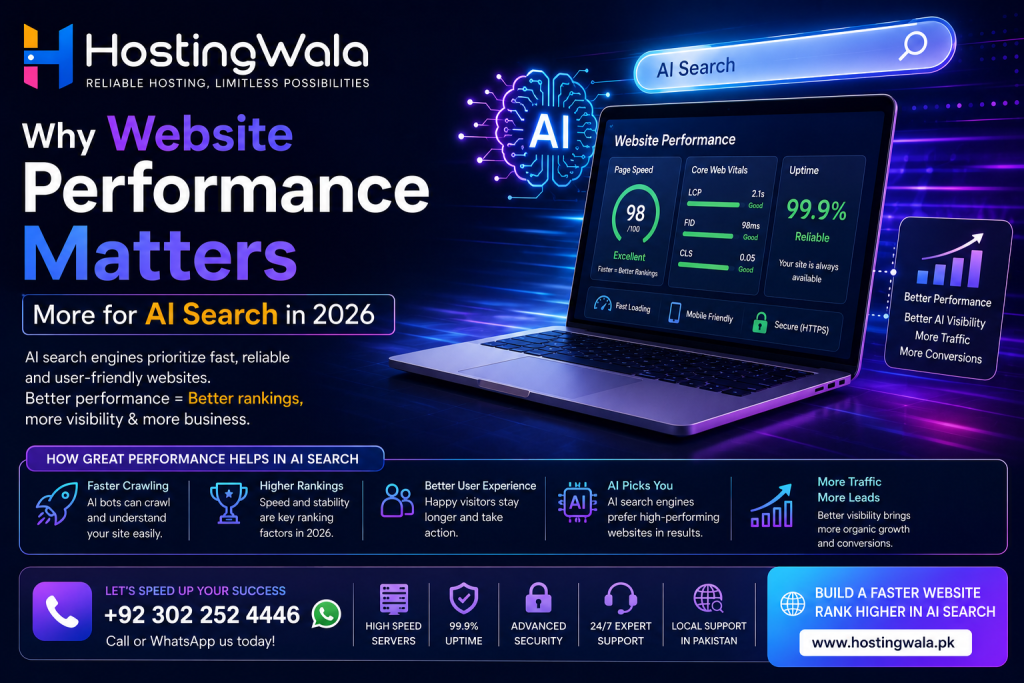
Why Website Performance Matters More for AI Search in 2026 Website performance is more important than ever in 2026 and this is because AI-powered search systems, including Google AI features, are biased toward websites that are fast, accessible and well-structured. User experience and the way search systems understand website content can be affected by slow websites, bad server response and weak hosting. Selecting reliable hosting, improving page speed and optimizing website structure can help businesses to better maintain their visibility online. Introduction For years webmasters were obsessed with keywords, backlinks and content quality. These factors still matter, but search technology is changing. Websites are now viewed differently by AI-powered search systems. They care about the loading speed, the accessibility of the information, and the smoothness of using the website. This means that Website Performance is no longer a technical issue only, it’s part of online visibility now. Faster Websites Provide Better Experience Visitors expect websites to load fast. If it takes too long for a page to appear, users may leave before they can read the content. Fast websites can get faster: Visitors and search systems are affected by performance. Hosting Plays a Bigger Role Good hosting creates the foundation for a fast website. A reliable hosting environment can improve: Hosting Factor Why It Matters Fast Server Response Quicker loading SSD Storage Faster data access Reliable Uptime Better availability CDN Support Faster global delivery Strong Resources Better performance during traffic spikes Modern websites depend on hosting quality more than ever. AI Search Favors Accessible Content AI-powered search engines must properly interpret website content. Pages that are hard to load, overloaded with scripts or poorly organized can make the content less palatable. A well-designed website with clear headings, fast pages and organized content can offer a better experience to visitors and search engines. Core Web Vitals Matter Still Google uses metrics for performance such as: They help to measure the real user experience. Improving these areas can help with better Website Performance and create a better website foundation. How to Make Your Website Faster for Business Businesses can increase performance by: Small improvements over time can add up to big changes. Questions and Answers Why Website Performance Matters in 2026The performance of a website has an impact on user experience, loading speed, and how modern search systems understand website content. How does hosting affect website speed?Yes. The quality of the server and resources, storage type and network infrastructure can affect the performance of a website. What is a fast website?A fast website loads quickly, responds efficiently and gives a smooth experience for the visitor. Can slow websites impact search visibility?Slow speed can reduce user experience and make it harder for modern search technologies to process the website. Website Performance – How to Improve?Get a good server , Optimize images , Remove unnecessary code and regularly check the speed metrics. Conclusion. Search Technology is changing Website Performance is becoming more important. Performance is not just a technical detail for business. A good website structure, fast hosting, and optimized pages can improve user experience and set the foundation for better search visibility in the future. By 2026, website speed and performance will be an integral part of building a successful online presence.
How to Choose the Right Hosting Plan for a Growing Website in 2026

How to Choose the Right Hosting Plan for a Growing Website in 2026 What is the Hosting Plan for a Website? It is determined by: traffic, storage needs, performance needs, website type, and expected growth. A small business site might do fine on shared hosting, but a website that is growing might eventually need more CPU, RAM, storage or scalable resources. Businesses should compare resources, reliability, security, support and upgrade options, rather than just going for the cheapest plan. Introduction: It is easy to choose web hosting for a new website. There’s often little traffic at first, and the site may only have a handful of pages. A basic hosting plan usually handles these requirements without any problem. However, as the website grows, its hosting needs may change. More visitors, more images, more products, more plugins, more databases, more applications. All of these can increase resource usage. This is why selecting the right hosting plan for a website becomes more and more important as a business grows online. Understand what your website needs Before Buying Hosting, Think About What Your Website Really Needs Ask yourself: A simple informational website has different needs than an e-commerce store or a web app. Compare Different Types of Hosting Different hosting environments are designed for different needs. Hosting Type Suitable For Shared Hosting Small websites and new businesses WordPress Hosting WordPress websites VPS Hosting Growing websites needing more control Cloud Hosting Websites needing scalability Dedicated Hosting High-resource websites There is no single best option for everyone. The best hosting plan for a website is the one that provides appropriate resources without paying for capacity you don’t currently need. Verify CPU and RAM Resources CPU and RAM can directly impact how a website handles requests. If you have a website with lots of plugins or database operations or visitors or dynamic features , it may need more resources than a basic website . If a hosting account often exceeds its resource limits, visitors may experience slow page loads or temporary outages. Thus it is useful to know the resource limits that come with a hosting package for a growing website. Check out Storage and Bandwidth Storage determines the amount of website data that can be stored. Storage can be taken up by images, videos, databases, emails, backups, website files, etc. Bandwidth is the amount of data that is exchanged between the website and its visitors. A site that gets a lot of traffic or has large media files needs far more bandwidth than a small business website. Don’t neglect website performance In terms of site speed, hosting is not the whole story, but it’s still important. A reliable hosting environment provides a solid basis for website performance. Business also needs to optimize: A good hosting plan for a website should support these optimization efforts. Think scalability One of the most important things for a growing website is upgrading. Perhaps you don’t need a powerful server today, but when your traffic grows so will your needs. Before choosing a hosting provider check if you can easily upgrade to a larger package or switch to a different hosting environment. Scalability can save a business from having to redo its entire hosting arrangement when the website starts to perform well. Security and Support Count Hosting needs to provide a solid basis for website security. Look for things like: Good customer support can also save you time when technical problems occur. FAQs Which hosting plan is good for website?The perfect hosting plan for a website depends on the traffic, resources, technology and growth expectations. Small sites can be hosted on a shared server, whereas larger sites may require VPS or cloud hosting. When should I switch hosting plans?Upgrade when your website consistently hits resource limits, struggles with performance, or needs features not offered by your existing package. Is shared hosting good for a growing website?Yes, shared hosting is fine for the early stages of growth. However, websites that grow in traffic or resource demands might eventually benefit from a more robust hosting environment. Yes. Your hosting provider can affect your website speed.Yes. Hosting can affect server response and overall performance but website optimization, images, code, cache and other factors are also important. Is price alone a reason to choose to host?No. Price is just one factor. Compare resources, reliability, support, security, performance, and upgrade options when choosing a hosting plan. Conclusion Choosing the right hosting plan for a website is an important decision, particularly when the website starts to grow. Rather than choosing a package based solely on price or unlimited features, businesses should take into account the real resource requirements, performance, security, support, and future scalability. A good hosting environment gives a growing website the foundation it needs to efficiently serve visitors today, and allows for clear future upgrades.
How AI Crawlers Are Changing the Web Hosting Requirements in 2026

How AI Crawlers Are Changing the Web Hosting Requirements in 2026 With AI Crawlers, the way websites need to think about hosting is changing, as automated systems from search engines and AI platforms can access website content at a much larger scale. More crawler activity can mean higher consumption of server resources, bandwidth and database capacity for businesses. As AI-driven search grows, websites can stay stable by choosing reliable hosting, optimizing website performance, monitoring traffic, and managing unnecessary automated requests. Introduction Search engines have been crawling websites for years, but the rise of AI-powered search has presented a new challenge for website owners. Artificial intelligence systems require large amounts of information to discover, process and understand online content. This means that websites could get requests from a larger variety of automated crawlers and bots. That doesn’t mean every site will suddenly see huge traffic bumps. But businesses should know how AI crawlers can interact with their websites, and whether they are able to handle more automated requests in their current hosting environment. What is an AI crawler? AI Crawlers are computer programs that automatically visit websites and retrieve information for processing. Traditional search engine crawlers are mainly used by search engines to discover and index web pages. AI-related crawlers can also be used to collect information that would support AI-powered search, retrieval, or other machine-learning systems. For website owners, the important point is that these requests still use server resources. Why AI Crawlers are Important for Web Hosting Every request to a website needs some processing. Automated requests can use, depending on how the site is built: A small website may deal with normal crawler activity with no noticeable problem. However, when hosting large databases, thousands of pages, heavy applications, or limited hosting resources, sites can suffer from performance problems if the automated traffic becomes too much. AI Crawlers vs Human Visitors AI crawlers and human visitors behave differently. Human Visitors AI Crawlers Usually browse selected pages Can request many pages automatically Interact with website content Primarily retrieve content Traffic may follow marketing campaigns Traffic can be automated Often use browsers Use automated requests Behaviour varies by user Behaviour follows programmed rules This difference makes traffic monitoring increasingly important for website owners. Can AI Crawlers Affect Website Speed? They can add to the load on servers, especially if a site gets a lot of automated hits. However, crawler traffic is just one of the possible reasons for a slow website. Other things: Hence, website owners should look into their general server performance instead of assuming that AI crawlers are to blame for every slow-down. Why Hosting Resources Matter The hosting plan a website uses determines how many resources are available to handle visitors and automated requests. A basic website may work perfectly on shared hosting when traffic is low. As a website grows, however, it may require additional resources. Website Situation Hosting Consideration Small business website Reliable shared hosting may be enough Growing website More CPU/RAM may be useful High-traffic website Scalable hosting can be beneficial Large content website Server resources become more important Web application Dedicated or cloud resources may be required The right choice depends on actual traffic and resource usage rather than simply choosing the most expensive plan. Getting Your Website Ready for AI Crawlers There are some practical steps businesses can take. Watch Server LogsServer logs can be used to identify unusual crawler activity and to find out what resources are being requested. Improve site performanceCaching, image optimization, database optimization, and efficient code can lower the resources needed for each page request. Review Your Hosting PlanIf your website is consistently reaching its CPU, RAM or bandwidth limits, then it’s probably time to look at a more suitable hosting environment. Handle Unwanted BotsSome automated queries are not helpful. Web site administrators need to be able to identify unwanted or problematic bot activity, and respond accordingly. Software UpgradeOld CMS software, server components and plugins can lead to performance and security issues. Should You Upgrade Your Hosting? No. More AI Crawlers coming does not necessarily mean every website needs a VPS or dedicated server. A better way is to track real resource consumption. If your site is stable and well within its hosting limits then you might not need to upgrade just yet. If the server is consistently being pushed to its limits by automated traffic, human visitors or website functionality, upgrading can make sense. Common Questions What Is an AI Crawler?AI crawlers are software programs that automatically visit websites to find and process information online for AI-related systems and services. Do AI Crawlers use resources on your server?Yes. Crawler visits, like other automated requests, can use server processing, bandwidth, database resources and connections. Can AI Crawler slow down a website?Heavy automated traffic can increase server load, but website performance depends on a number of factors including hosting, code, databases, plugins and traffic levels. Do I need to upgrade my hosting due to AI Crawlers?Not at all. 1. Check how resources are being used on your website. Upgrade if your current hosting environment is regularly unable to cope with legitimate traffic or automated requests. How do you monitor AI crawler activity?Website administrators can identify automated requests and monitor traffic patterns using server logs, analytics programs, firewall systems and hosting control panels. Abstract With the arrival of AI Crawlers, there’s one more thing website owners need to keep in mind when designing their hosting infrastructure. As AI-driven search becomes more popular, companies shouldn’t be forced to pay for expensive servers. Instead, they should monitor crawler activity, improve their websites, review server resources, and choose hosting that can scale to meet their actual needs. As AI continues to change how people find information on the web, reliable web hosting will continue to be an essential component of keeping websites fast, steady, and accessible.
What Is Cloud Hosting and How Is It Different From Shared Hosting?
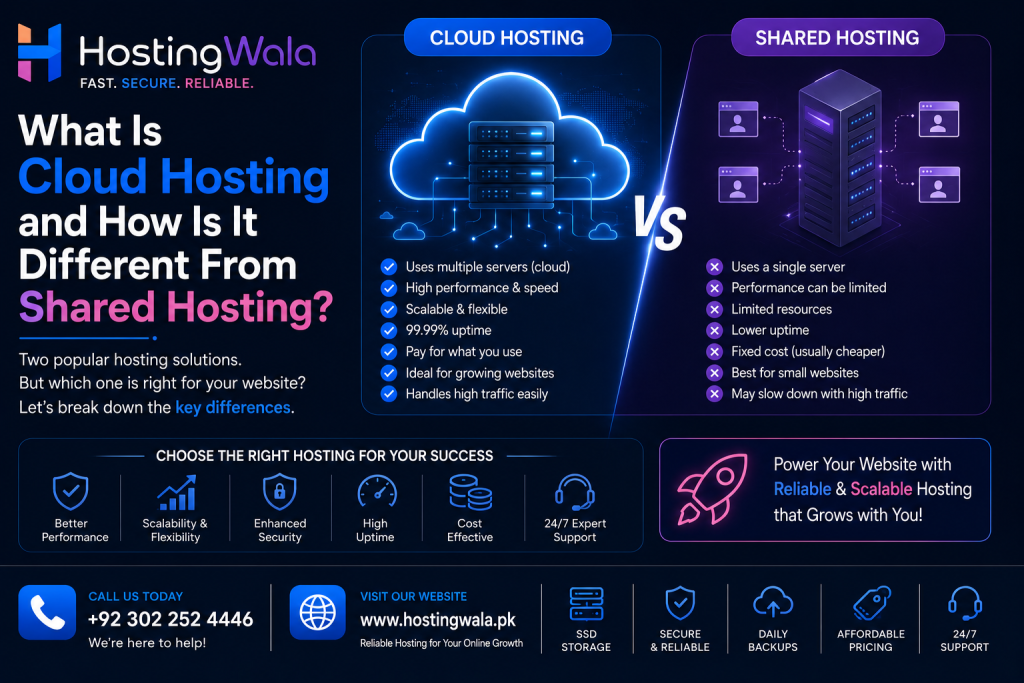
What Is Cloud Hosting and How Is It Different From Shared Hosting? Cloud Hosting is a form of web hosting that uses resources from a network of connected servers instead of from a single physical server. This configuration can offer better scalability and resource flexibility than traditional shared hosting. Shared hosting is usually cheaper and more appropriate for smaller websites, while cloud hosting can be helpful for websites that require more resources or have variable traffic. Introduction The right hosting can directly affect the performance, reliability, and growth potential of a website. Shared hosting is often a cheap place for smaller sites to start. But as the traffic and resource requirements increase, website owners may start looking at Cloud Hosting. Knowing the difference between these two options can help you select a hosting plan that fits your website’s real needs. What Is Cloud Hosting? Cloud Hosting relies on a network of connected servers to offer hosting resources. The hosting environment can share loads between different resources instead of relying solely on one physical server. This structure can give more flexibility if a website needs more resources. Cloud hosting is often looked at for: The precise architecture and benefits will vary depending on the hosting provider. What is Shared Web Hosting? Shared hosting puts multiple web sites on the same physical server and its resources. It’s popular because it’s usually cheap and easy to deal with. Shared hosting is ideal for: However, resources are shared across multiple sites, so the amount of performance available can depend in part on the hosting environment and the provider’s limits on resources. Cloud Hosting vs Shared Hosting The main differences can be summarized below: Feature Cloud Hosting Shared Hosting Infrastructure Network of connected servers Shared physical server Scalability Generally higher More limited Resources More flexible Shared Cost Usually higher Usually lower Best For Growing or demanding websites Smaller websites Management Depends on provider Usually beginner-friendly Neither option is automatically better for every website. The right choice depends on your requirements and budget. Advantages of Cloud Hosting One of the biggest advantages of Cloud Hosting is flexibility. Scale-upAs websites grow, they may need additional resources at peak traffic times. Cloud environments can offer more flexibility in scaling resources. Flexibility of ResourcesCloud hosting can give you access to resources that are better suited to websites with changing workloads. DependabilityCloud environments can use more than one server, and so can be more fault-tolerant than a single physical server environment. But real uptime is dependent on the provider’s infrastructure and configuration. When to Pick Shared Hosting Shared hosting is a good solution when you are starting out a website and don’t need big resources. A small company website with a few pages and moderate traffic may not need the extra resources of cloud hosting, for example. Choosing a hosting solution that is more expensive than necessary can add to costs with no real benefits. When Should You Opt for Cloud Hosting? Cloud Hosting is great for growing resource needs or fluctuating website traffic levels. It might be worth considering if: Before you upgrade, make sure you know the true cause of any performance issue. How to Select the Right Hosting Just because a hosting company uses the word “cloud” doesn’t mean you should pick them. See also: The name of the hosting may be less important than a properly configured hosting service. Frequently Asked Questions What is Cloud Hosting?Cloud Hosting uses the resources of multiple connected servers to host websites and applications . Many hosting environments offer greater flexibility and scalability. Cloud Hosting Vs Shared Hosting – Which One Is Better?Not necessarily for all sites. Shared hosting is a good choice for smaller sites , while cloud hosting is better for sites that need a little more power and scalability. Does Cloud Hosting cost more?Cloud hosting is often more expensive than simple shared hosting, but costs vary greatly depending on the provider and plan. Yes, small businesses can use cloud hosting.Yes. Cloud hosting can be used by small businesses when they need more resources, flexibility or scalability for their website. But a smaller website might do just fine with shared hosting. Yes, you can migrate from Shared Hosting to Cloud Hosting.Many hosting providers offer customers the choice to upgrade to a new hosting environment or move into another one. Exactly how this is done depends on the provider and the hosting platform. Final thoughts Cloud Hosting provides a flexible hosting environment that can be beneficial for websites with growing or changing resource requirements. And shared hosting is still a viable and affordable option for many smaller websites. The best option will depend on your website traffic, resources, technical requirements, budget and expected growth. Shared hosting could be enough for your little website. If you anticipate your resource requirements increasing, investigating cloud hosting could offer the scalability you need as you expand down the line.
What Is NVMe Hosting and Is It Better Than SSD Hosting?
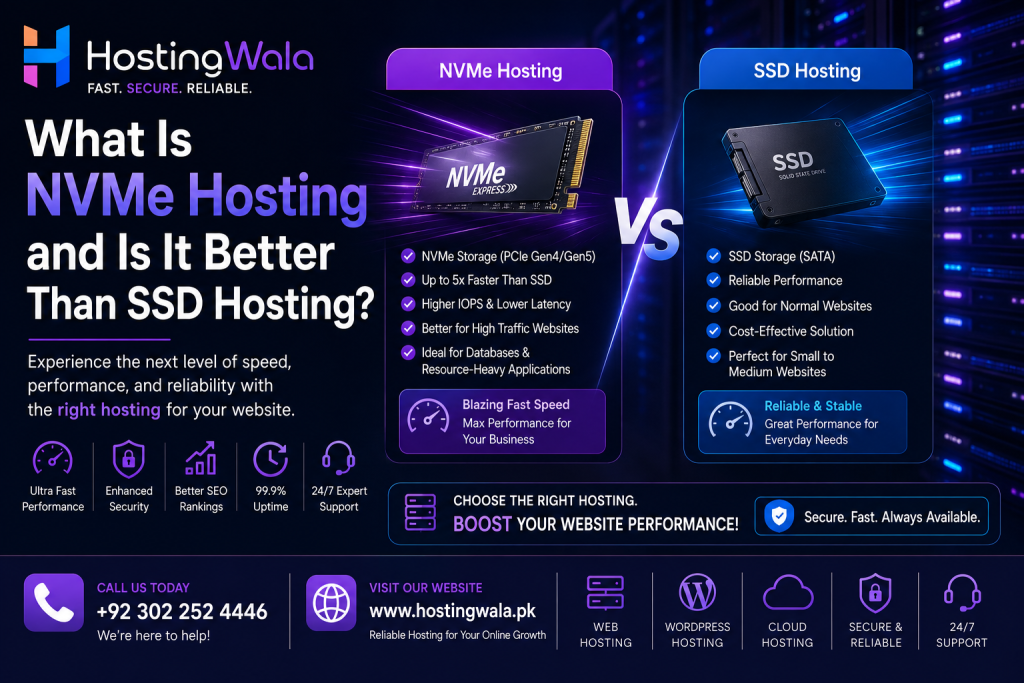
What Is NVMe Hosting and Is It Better Than SSD Hosting? NVMe hosting uses NVMe (Non-Volatile Memory Express) storage technology, which is built to communicate with modern storage devices more efficiently than older storage interfaces. NVMe can deliver faster data access speeds and lower latency than traditional SATA-based SSD storage. But storage technology is just one component of hosting performance, server resources, software configuration, network quality and website optimization play their part too. Introduction: More than just the design of a website affects the speed of a website. The speed at which a website responds can be affected by the hosting server, storage technology, available resources, database performance and network connection. That’s why NVMe Hosting is becoming so popular. But what is NVMe exactly, and is it always better than SSD hosting? Let’s see the difference. What is NVMe hosting. NVMe stands for Non-Volatile Memory Express It’s a modern storage protocol made for high speed flash storage. NVMe uses a more modern interface for communicating with storage devices, unlike traditional SATA-based storage, which can handle many operations efficiently. NVMe storage in web hosting can help servers access website files and databases more quickly. What Is SSD Hosting? SSD means Solid State Drive. Unlike traditional hard disk drives (HDDs), SSDs contain no moving mechanical components. This allows them to offer much faster data access. Many hosting providers offer SSD storage, because it provides a big performance boost over traditional HDD storage. But not all SSD hosting is created equal. Performance can be affected by interface and underlying hardware. NVMe vs SSD Hosting The main difference is that NVMe is a newer storage communication protocol, while SSD describes the underlying storage technology. A simple comparison: Feature Traditional SSD Hosting NVMe Hosting Storage SSD NVMe SSD Interface Commonly SATA NVMe/PCIe Latency Low Generally lower Data Access Fast Very fast Suitable For Most websites Performance-focused websites Cost Often lower May be higher The actual performance difference depends on the hardware and hosting environment. Can NVMe Speed Up a Website? It can help particularly with sites that access files or databases often. For example, an e-commerce site with a large product catalog might do many database operations. Storage delays can be reduced by faster storage. But moving to NVMe isn’t a magic bullet for every slow website. Other reasons can be: High-performance hosting does not mean you don’t need to optimize your website. Who is NVMe Hosting for? NVMe can be handy for websites that require more powerful storage performance. These can include: For a small website with a low amount of traffic, the difference might not be as noticeable. Is NVMe Hosting the Right Choice? For websites that care about performance, NVMe can be a useful upgrade. But don’t choose hosting based on storage technology alone. Also read: NVMe storage is great but if the servers are badly configured it could still be a bad experience. Frequently Asked Questions Is NVMe faster than SSD?NVMe drives are technically SSDs, but they use a newer interface and protocol that is designed for higher performance. This means NVMe storage can be faster than traditional SATA SSD in accessing data. NVMe hosting can help your website load faster.It can boost the server-side storage performance, but overall website speed also depends on hosting resources, website code, caching, images, databases, and network performance. Is NVMe Hosting Suitable For WordPress?Yes. NVMe hosting can be useful for WordPress websites, especially if your site has a larger database, more visitors, or uses resource-intensive plugins. Does every website need NVMe hosting?No. Small websites with low traffic can run just fine on regular SSD hosting. As performance and resource requirements grow, NVMe becomes more relevant. Conclusion: NVMe Hosting is a new kind of storage technology, built for speed and lower latency. NVMe provides faster storage performance than traditional SATA based SSD storage and can be a real advantage for demanding websites. Storage is only one part of a hosting environment. Before you upgrade, consider your website’s traffic, resources, software and performance needs. NVMe can be a good option for businesses looking for faster hosting. But the storage technology alone is not enough.