
How to Restore WordPress Website from Backup
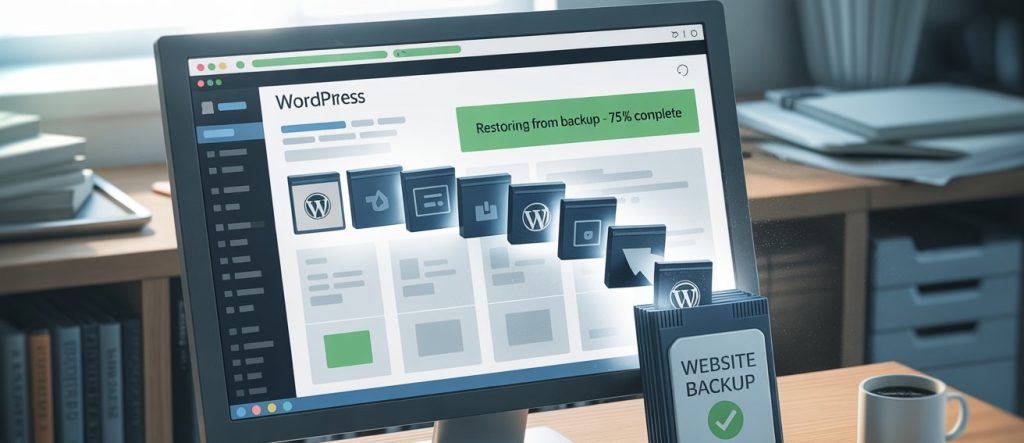
How to Restore WordPress Website from Backup That sinking feeling is all too familiar. You try to visit your website, only to be greeted by a blank white screen, a cryptic error message, or worse—a hacked site. In moments like these, panic is a natural first reaction. But your second reaction should be a deep, calming breath, because if you have a backup, you have a way out. Knowing How to Restore WordPress Website from a backup is like having a superpower. It turns a potential disaster into a minor inconvenience. This guide will walk you through the process, step-by-step, using the most common methods. Whether you’re a seasoned developer or a complete beginner, you can get your site back online. Before You Begin: The Golden Rule of Restoration Before you touch anything, take this crucial first step: Contact Your Hosting Provider. At HostingWala, for instance, our support team often creates daily backups for our customers. Your first call should be to see if we can restore your website for you with a single click. This is often the fastest and safest option. If that’s not possible, or if you’re using your own backup, proceed with the steps below. Method 1: How to Restore WordPress Website from Backup Using Your Hosting cPanel (The Most Common Method) Most web hosting providers in Pakistan, including HostingWala, offer cPanel with backup tools. This method is ideal if your host creates automatic backups of your entire account. Here’s How to Restore WordPress Website from a cPanel backup: Log in to your cPanel. You can usually find this at yoursite.com/cpanel. Find the “Backup” Tool. Look for the “Backup,” “Backup Wizard,” or “JetBackup” icon. Choose “Restore.” You’ll likely see options to restore a Full Account, Home Directory, MySQL Database, or Email. Restore Your Home Directory. This contains all your WordPress files (themes, plugins, uploads). Select the most recent backup file before the problem occurred. Restore Your MySQL Database. This is your site’s content—posts, pages, and user data. This step is critical! Select the appropriate database backup. Wait for the Process to Complete. The restore might take a few minutes. Do not close the browser tab. Clear Your Cache. Once done, clear your browser cache and any caching plugins on your site (like WP Rocket or W3 Total Cache). Your website should now be back to its state at the time of the backup. Method 2: How to Restore WordPress Website Using a Plugin (The Beginner-Friendly Way) If you use a backup plugin, the process is often more straightforward. This is why we always recommend plugins like UpdraftPlus, BlogVault, or Duplicator to our customers. Steps to restore with a plugin like UpdraftPlus: Re-install the Plugin. If your site is completely down, you may need to reinstall WordPress and your backup plugin fresh. Navigate to the Plugin’s Settings. Go to Settings > UpdraftPlus Backups. Upload Backup Files. If you have a backup stored on Google Drive, Dropbox, or your computer, you can upload the files from there. Click “Restore.” The plugin will show you a list of available backups. Select the one you want. Select Components to Restore. You can choose to restore everything or just specific parts, like plugins, themes, or the database. Run the Restoration. The plugin will now extract the files and database, replacing the broken ones. The plugin will guide you through the entire process, making it one of the easiest ways to recover your WordPress site. Method 3: The Manual Restoration (For Advanced Users) This method involves using cPanel’s File Manager and phpMyAdmin. It’s more technical but gives you full control. Step A: Restore WordPress Files via File Manager Go to cPanel > File Manager. Navigate to your root directory (usually public_html). Upload your backup ZIP file and extract it, overwriting the existing files. Step B: Restore the Database via phpMyAdmin Go to cPanel > phpMyAdmin. Select your WordPress database. Click Import and choose your database backup file (usually a .sql file). Click Go to import the data. After this, you may need to update the wp-config.php file to ensure it’s pointing to the correct database. Your WordPress Backup & Restoration Checklist To make sure you’re never caught off guard, follow this checklist: I have a recent backup. (Backups should be automatic and frequent). I know where my backup is stored. (Is it on my hosting server, Google Drive, or another remote location?). I have tested my backup. (Can I successfully restore it on a test site?). I have my FTP/cPanel login details handy. I have contacted my host’s support team as a first step. Peace of Mind is Just a Backup Away We know that dealing with a broken website is incredibly stressful. The single most important thing you can do for your online business is to have a reliable, automated backup and restoration strategy. If this process feels overwhelming, or if you want the security of knowing experts are handling your backups, consider a managed hosting plan. At HostingWala, we offer managed WordPress hosting with automated daily backups and one-click restoration, so you can focus on your business, not on technical headaches. Don’t wait for a disaster to strike. [Check out our secure WordPress hosting plans] today and sleep better tonight knowing your website is safe.
Best hosting in pakistan guide

Best Web Hosting in Pakistan Most individuals think that good hosting is always costly. As a matter of fact, the best hosting in Pakistan is without paying extra money as long as you know what to look for. Rapidness, availability, safety, and service are more important than glitzy pricing. This guide describes how you can select the appropriate hosting to use to host your website as well as maintain great performance and reasonable costs, particularly in case you are targeting Pakistani users. Most hosting firms are concerned with the low prices as a way of attracting users, hence they tend to sacrifice performance and reliability. The hosting in Pakistan, which provides the balance between speed, uptime, and support, rather than the cheapest one is the best one. Through awareness of your needs in a website and a provider that is designed to support local traffic, you can ensure that you are not affected by the slowness of loading pages, constant downtime, and hidden charges without having to break the bank. Why Price Alone Does Not Define Hosting Quality Web hosting is not a piece of server space. It does not matter at all when it is incredibly cheap to have a slow-loading site or one that is down most of the time. The hosting in Pakistan should provide the best.Fast loading speedsConsistent uptimeCustomer service on the talk-back frontline.No secret prices. The company is named Hostingwala.pk, which is oriented on the price to performance ratio that will be appropriate to the startups, business and development websites. Web Hosting in Pakistan Built for Speed and Stability The user experience and Google rankings directly depend on the speed of a website. Slow hosting implies that it experiences a rise in bounces and lost conversions. Pakistan Web hosting should include reliable Web hosting.SSD storage executes operations more quickly.Domestic traffic optimized servers.Foreseeable back-up infrastructure. Hostingwala.pk will provide hosting services that are speed-oriented in a bid to accommodate the Pakistani traffic. Best WordPress Hosting in Pakistan for Business and Blogs The most used content management system in Pakistan is WordPress. It needs, however, to have optimized hosting to work well. WordPress hosting in Pakistan should be able to offer.Simple installation of WordPress.Optimized server environment.Strong security featuresRampant performance at peak traffic times. As a WordPress-compatible hosting provider, Hostingwala.pk provides hosting services to novices and seasoned users. Shared Hosting in Pakistan for Startups and Small Businesses Shared hosting in Pakistan would make a good point of departure, in case of starting a new site or having a small budget. Shared hosting is ideal forNew websitesSmall businessesBlogs and portfolios Hostingwala.pk does not oversell resources, hence shared hosting users remain stable in their performance. Domain and Hosting Price in Pakistan Explained Simply Most of the website owners have difficulty comprehending the real domain and hosting costs in Pakistan, based on the ambiguous packages and hidden charges. With Hostingwala.pkPricing is transparentNo unnecessary add-onsClear renewal costsVarious guidelines for multiple needs. This simplifies the process of selecting the appropriate hosting package without coming across any unpleasant surprises. What Makes Hostingwala.pk a Reliable Choice Hostingwala.pk is a site that is aimed at users who are interested in reliable hosting without being complicated. Key advantages includeAffordable pricingPerformance-focused infrastructurePakistan solutions.Truthful and attentive service. You get more than hosting. You will have a steadfast base to develop your internet presence. How to Choose the Best Hosting in Pakistan for Your Website Before choosing a hosting plan, take into accountYour website’s purposeExpected trafficCMS requirementsLong-term scalability Selecting the optimal hosting in Pakistan implies the consideration of future development, rather than immediate requirements. Final Thoughts The success of any website relies on good hosting. SEO, marketing, and other content works are of no value without trusted hosting. Using Hostingwala.pk, you are free to select the most suitable hosting in Pakistan that would be fast, secure, and affordable. Hostingwala.Pakistan is a viable option in case you want to have web hosting in Pakistan, WordPress hosting, or shared hosting with clear prices and good performance.
Domain Registration in Pakistan

Best Domain Registration in Pakistan: Complete Guide Looking for the best domain registration in Pakistan is the very first step to establishing your online presence. It is not just a web address; it is your digital identity. When you’re setting up a new business, launching a blog, or getting ready to build an online store, it helps to do as much as possible from one location. And nothing matters more than how quickly and easily you can register your domain name and get started. It can be overwhelming to know which platform is the best after all with so many platforms on offer. This guide will walk you through what domain registration is, why it is important, the things to consider when choosing a registrar, and how you can select the best domain registration in Pakistan. What is Domain Registration Domain registration is the act of registering a domain name on the internet. A domain registrar is the company that actually registers and manages your domain name. A registrar handles• registering your domain• linking it to the DNS system• managing renewals• securing ownership records• maintaining contact and technical details Websites can’t exist without domain registration. What is a Domain Name and Why Does It Matter A domain name is how people find your website, e.g., pk or yourbusiness.com.pk. A domain is, to paraphrase, much like how a CNIC identifies you; it represents your business online. It creates trust. It helps in brand recall Makes your website available all over the world. A good domain name goes a long way with • brand recognition• credibility• search engine visibility• professional email addresses• long-term digital growth Top-Level Domains Available in Pakistan There are official Pakistan domain extensions. These are popular for small businesses, clubs, and associations. Common Pakistani TLDs include .pk.com.pk.org.pk.net.pk.edu.pk.web.pk.gov.pk.gos.pk.gop.pk.gok.pk.gog.pk.gob.pk These domains enable local businesses in Pakistan to get better rankings and develop trust among Pakistani customers. Why Domain Registration in Pakistan Should Be Local Opting for a Pakistani registrar in the case of the best domain registration in Pakistan yields several benefits. • Payments in PKR• Easypaisa, JazzCash, and bank transfer options• Local customer support• Better handling of .pk domains• Faster issue resolution• No international payment complications This is particularly relevant for startups and small businesses. How to Choose the Right Domain Registrar in Pakistan Always check these things before buying a domain. Transparent Pricing Ensure that the price covers registration, renewal, and any other extra fees. Local Payment Methods A decent Pak registrar would accept PKR payments and mobile wallets. Support Quality The presence of live chat, WhatsApp, phone, and email ticket support can be really crucial, especially for newcomers. Domain Management Panel You should have simple control over your DNS, renewals, transfers, and emails. Additional Services A decent registrar will do hosting, email, SSL, and front-end website tools. Why HostingWala is a Smart Choice for Domain Registration in Pakistan HostingWala.pk is designed to make it easy for businesses, freelancers, and startups in Pakistan. HostingWala focuses on• easy domain search and registration• competitive local pricing• Pakistani payment methods• reliable technical support• secure domain ownership• complete hosting solutions under one roof Whether you want a .pk, a .com, or an international TLD, HostingWala makes it easy and quick. Who Needs Domain Registration Services Domain registration is essential for • business websites• ecommerce stores• personal brands• blogs and content creators• educational platforms• corporate portals• startups and agencies If you have any intention of creating an Internet presence, the very first thing that you need to do is to acquire your own domain. Conclusion Selecting the best domain registration in Pakistan saves your brand and helps you to manage the website easily and more cheaply for a long period of time. You don’t have to depend on international platforms with payment and support issues. A Pakistani registrar provides you with flexibility, ease, faster support, and much more. If you intend to start a website, then pick up your online identity today and make sure your digital journey is the best possible! Frequently Asked Questions Q: Which is the best service provider for domain registration in Pakistan? Ans: It depends and is based on price and how good the support/TC is—take care of the payment. A trusty Pakistani registrar, such as HostingWala, provides local support, PKR payments, and a user-friendly interface to manage both .pk and international domains. Q: Why pick a Pakistani domain registrar? Ans: A Pakistani domain registrar gets you local customer service, smoother payment options, and shorter turnarounds on handling .pk domains, and quicker resolution of technical problems. Q: Can I register international domains from Pakistan? Ans: Yes. Almost all the Pakistani registrars allow you to register international (such as .com, .net, and .org) along with .pk domains. Q: What is the average price for domain registration in Pakistan? Ans: The domain registration cost in Pakistan is based on the extension you desire. A. pk or .com. Pk domain is usually higher than international domains, and it depends on its registration length in addition to the renewal price and any added services. Q: What is needed to qualify for it? PK domain registration? Ans: For most .pk and .com.pk domains, depending on the type of extension you are applying for, you may have to provide some basic information, such as CNIC or business details, along with some brief info about why you want this domain and contact info. Ans: It depends and is based on price and how good the support/TC is—take care of the payment. A trusty Pakistani registrar, such as HostingWala, provides local support, PKR payments, and a user-friendly interface to manage both .pk and international domains. Ans: A Pakistani domain registrar gets you local customer service, smoother payment options, and shorter turnarounds on handling .pk domains, and quicker resolution of technical problems. Ans: Yes. Almost all the Pakistani registrars allow you to register international (such as .com, .net, and .org) along with .pk domains. Ans: The domain registration cost in Pakistan is based on the extension you desire. A. pk or .com. Pk domain is usually higher than international domains, and it depends on its registration length in addition to the renewal price and any added services. Ans: For most .pk and .com.pk domains, depending on the type of extension you are applying for, you may have to provide some basic information,
free website speed test tools in pakistan

Top 5 Free Online Tools Providing Speed Test Service in Pakistan Website speed is of major significance for SEO, user experience, and website performance. Slow-loading websites may increase bounce rates, reduce search engine rankings, and thus conversions as well Happily, there are free website speed test tools in Pakistan that bloggers, business owners, and even a few online shop operators can use to diagnose their site performance and make improvements. In this guide, we’ll introduce the top 5 free online tools and also a few tips on how you can speed up your website Why Speeding Up Website is Important Website speed is a crucial factor to keep an eye on. Your website’s performance can affect: SEO Rankings: Google ranks the highest the fastest websites. User Experience: Visitors like sites which load quickly. Bounce Rate: Slow sites drive users away. Conversions: Fast websites make both e- commerce sites and service sites convert better. By using the best free website speed test tools in Pakistan, your site is top-notch without having to spend a penny. Google PageSpeed Insights One of the most reliable free website speed test tools in Pakistan is Google PageSpeed Insights. It looks at your website on both mobile and desktop and gives you performance scores and suggestions for how to improve it. Things that are included: Analysis on mobile and desktop Report on Core Web Vitals Ways to make your website load faster PageSpeed Insights can help you find parts of your site that load slowly and make it better for SEO and a faster user experience. GTmetrix – Detailed Free Speed Test Tool This tool gives extensively insight about speed of website and also measure performance metrics. It provide page load times, show actual result scores, and also suggest ways to optimize the speed of website, making it best for individual holding blogging and ecommerce website in Pakistan. Features Analyse page loading and monitor all its performance to provide best suggestion GTmetrix display waterfall charts that assist the user also help in further optimization. After analyzing all the aspect gives best recommendation to enhance speed of website. Using GTXmetrix as well as other free website speed test tools in Pakistan faciliatate its user identify result and take practical task to boost load times. Pingdom Website Speed Test – Easy Free Tool Pingdom is another renowned tool to inspect check website speed free. It provides accomplishment grades, page size evaluation, and comprehensive tips to increase performance of website. Features: Exact measurement of page load time. Performance grade Recommendation to make website load faster. Review your website on daily basis with pingdom, user can easily maintain its speed and also for its responsiveness, which is best for SEO and user – engagement perspective. WebPageTest – Advanced Free Website Speed Tool It consent user to test their website speed and performance from different areas, involving Pakistan. Unlike other it also posses metrics for page load speed, optimization, and overall performance of website. Features: Review from multiple location Browser selection Extensive performance records Using webpage Test assure that user website act best for visitor from Pakistan and globally. It is considered as the most detailed free website speed test tools in Pakistan. Varvy Pagespeed Tool – The Free Website Speed Analyzer The Varvy Pagespeed Tool provides detailed insights about site performance and best practices to improve page loading time or to keep a site’s speed optimized all year round. Features: The speed of websites is analyzed and loading problems are found out. Give good suggestions about which CSS, JS and images can be optimized. Help improve the user experience and SEO for web pages Both newbies and high-end users in Pakistan can benefit from this site that provides free tools which are easy to use. With Varvy Pagespeed Tool, you can quickly find out what slows down your website, and make updates to increase speed, user experience and SEO. Tips to Improve Website Speed in Pakistan After using free website speed test tools in Pakistan, follow these tips: Allow Browser Caching: You don’t need to load the entire site every time you return. Reliable Hosts in Pakistan: Overall performace can be improved by fast servers. Minify CSS, JS and HTML: Remove any unnecessary code following the optimization steps. Usage of content delivery network: enhance speed for users throughtout multiple location. Optimizing images: before uploading images on website, compress images by using image compressor tool that retain its actual quality. In this way, you should compress images without quality loss. Conclusion Using free website speed test tools in Pakistan is crucial for bloggers, business owners, and those individuals managing onlibe store. Google Page Speed Insight, GTmetrix, Pingdom, and webpage test give users implementable suggestions to increasethe performance of the website, refine page loading time, and are ideal for SEO. Monitoring on a daily basis ensures the website maintains its efficiency and is best for the overall health of the site.